 Newsletter · October 2026 · Practice update View in browser
Security updates, and less chasing for records Hello, This week’s security announcements affecting most of the internet have prompted us to get in touch. We’ve updated the Mediref web application, and recommend making sure your desktop app is up to date too. Mediref continues to operate normally, and we’re not aware of any compromise of Mediref or its data. These updates help keep it that way. It’s also been a while since our last newsletter. There’s plenty to catch you up on, including the record requests we promised last time. In this newsletter TL;DR: the quick version - Use the desktop app? Please update it on each computer. The Mediref web application has already been updated.
- Managing a large group of practices? Explore Mediref Enterprise for SSO, staff access controls, audit logs, log streaming and central oversight.
- Less chasing, less retyping: request records, reply securely, give colleagues their own logins, reuse message templates and save private contacts.
|
This week’s security news: what it means for your practice Several serious security issues were disclosed this week in software used by many websites and applications. These flaws could allow attackers to impersonate trusted websites or run malicious code in affected software. Mediref continues to operate normally, and we’re not aware of any compromise of Mediref or its data. We have updated the web application to protect against these newly disclosed risks, and recommend updating your desktop app too. For most readers, the practical steps are simple: - Using Mediref in your browser: there’s no Mediref software to install. Keep your browser and computer’s updates current.
- Using the Mediref desktop app: update it on every computer where it’s installed. If you see Restart and update, select it. Otherwise, download the latest installer, or ask your IT team to help.
- Managing other software or your practice website: pass the information below to your IT provider so they can check whether anything else needs updating.
For readers and IT teams who want the detail: - Website identity checks: compromised security certificates could let attackers impersonate legitimate websites to software that still trusts those certificates. If an attacker could intercept a connection, they could potentially read or alter information travelling through it. Read Mozilla’s security advisory.
- Node.js: security updates fix flaws in checks on secure connections and in the handling of compressed data, including a flaw that could allow attackers to run malicious code. Read the Node.js security announcement.
Your IT provider can check the technical details and arrange any updates needed elsewhere in your practice. |
Mediref Enterprise: SSO, audit logs and secure messaging across your group Managing several practices brings extra responsibilities: giving staff the right access, keeping track of activity and maintaining consistent security settings across the group. Our updated Enterprise offering brings those controls together: - Single sign-on (SSO): let staff access Mediref through your organisation’s existing sign-in system.
- Staff access controls: choose who can send and receive correspondence, manage practice settings or handle billing, across the group or at individual practices.
- Audit logs: review key activity to support your organisation’s security and governance processes.
- Audit log streaming: bring Mediref activity into your organisation’s security monitoring system, configured with your IT team during onboarding.
- Central management and reporting: manage practices and billing together, with visibility into usage across your group.
- Rollout support: work with us on setup, IT requirements and a pilot before expanding to more practices.
If you’re reviewing secure messaging across your group, we’d welcome a conversation with your operations and IT teams. Arrange a discussion through our website, or reply to this email and tell us about your group. |
Five improvements since our last newsletter 1. Record requests are here Last time, we said they were coming. You can now request records from another practice or a patient, list exactly what you need, and have their response come straight back into your Mediref inbox. A Waiting tag helps you see which requests still need an answer. See how to request records. 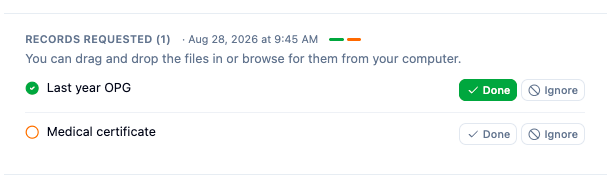 See what’s been answered and what’s still pending. |
2. Keep the conversation in Mediref Reply with a message or files in the same thread, keeping the conversation together. Patients and practices without a Mediref account can reply through their secure link too. Replies to correspondence you receive don’t count towards your plan’s sending allowance. See how to reply. |
3. Give everyone their own login Invite colleagues from Settings → Practitioners/Team and choose what each person can access. You can also choose who receives correspondence notifications, and people working across several practices can switch between them without signing out. It makes it easier to manage access when someone joins or leaves, and to see who sent each item. |
4. Stop typing the same messages Save your frequently used messages as templates and insert them when composing. Templates can fill in details such as the patient’s name and date of birth automatically. Find them under Settings → Correspondence, or type / in an empty message box to choose a saved template. See how to use message templates. 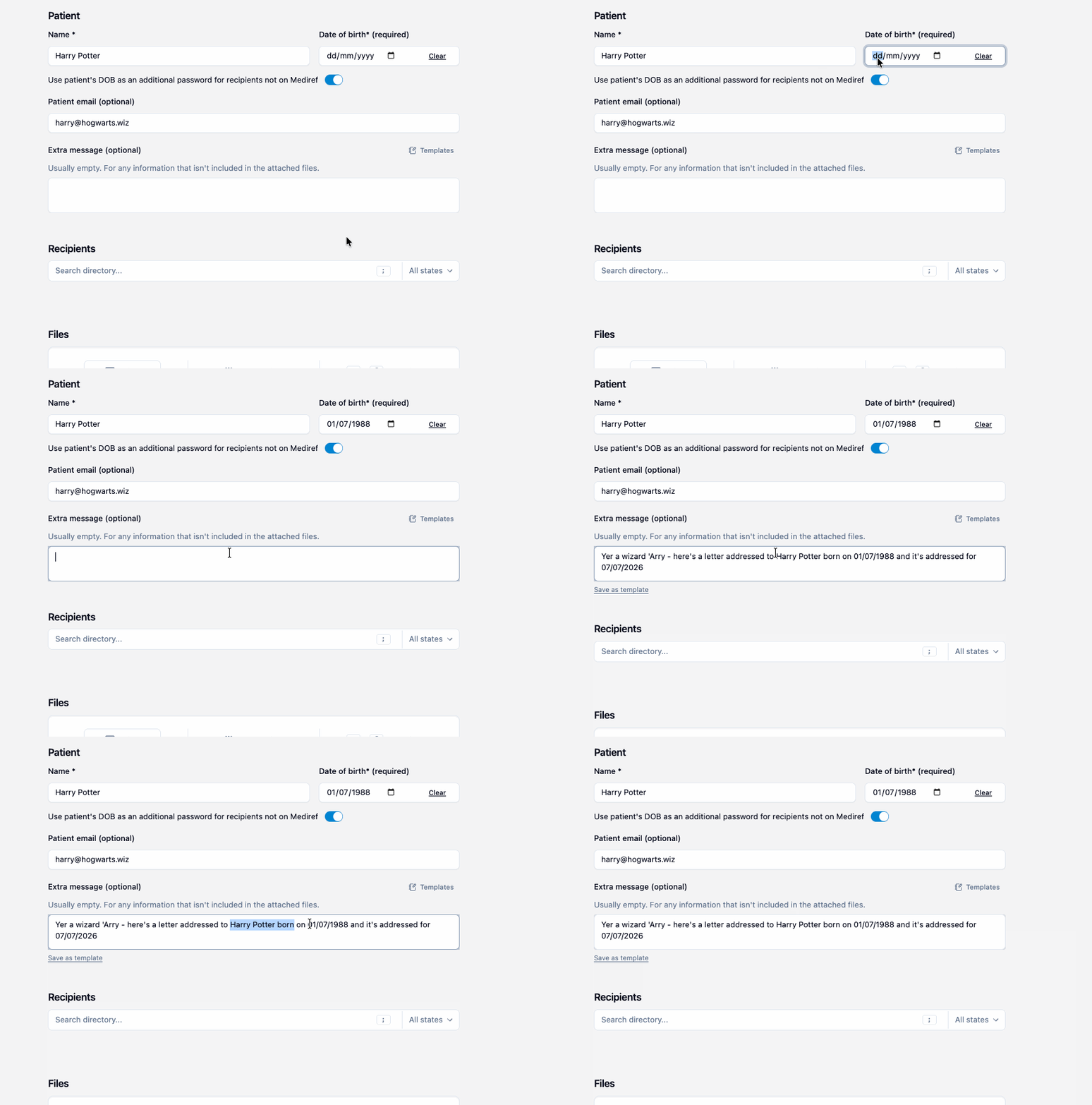 Add a saved message without typing it again. |
5. Keep a private address book Save recipients such as hospital staff as private contacts, visible only to your practice. Organise them into groups so you can add a regular set of recipients together. They still receive correspondence through a secure link. When adding a recipient by email, switch on Private. You can manage your contacts and groups under Settings → Contacts. 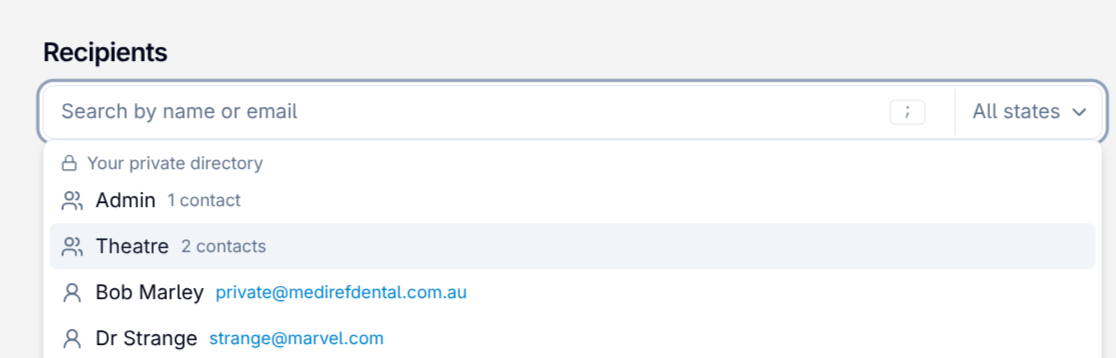 Your practice’s private contacts, ready to select. |
|
Have a question, or something you’d like us to improve? Reply to this email. We’d like to hear from you. Best,
Hemal and Anish
Mediref
You're receiving this because you or your practice has a Mediref account, or you asked for our updates. Mediref is made by AM Healthcare Pty Ltd (ABN 66 148 138 532), Australia. Reply to this email, or write to info@mediref.com.au. Unsubscribe · Manage your subscription · Product updates |